GemRaid - Free spins, coins, and gift codes that actually work.GemRaid - Free spins, coins, and gift codes that actually work.GemRaid - Free spins, coins, and gift codes that actually work.GemRaid - Free spins, coins, and gift codes that actually work.
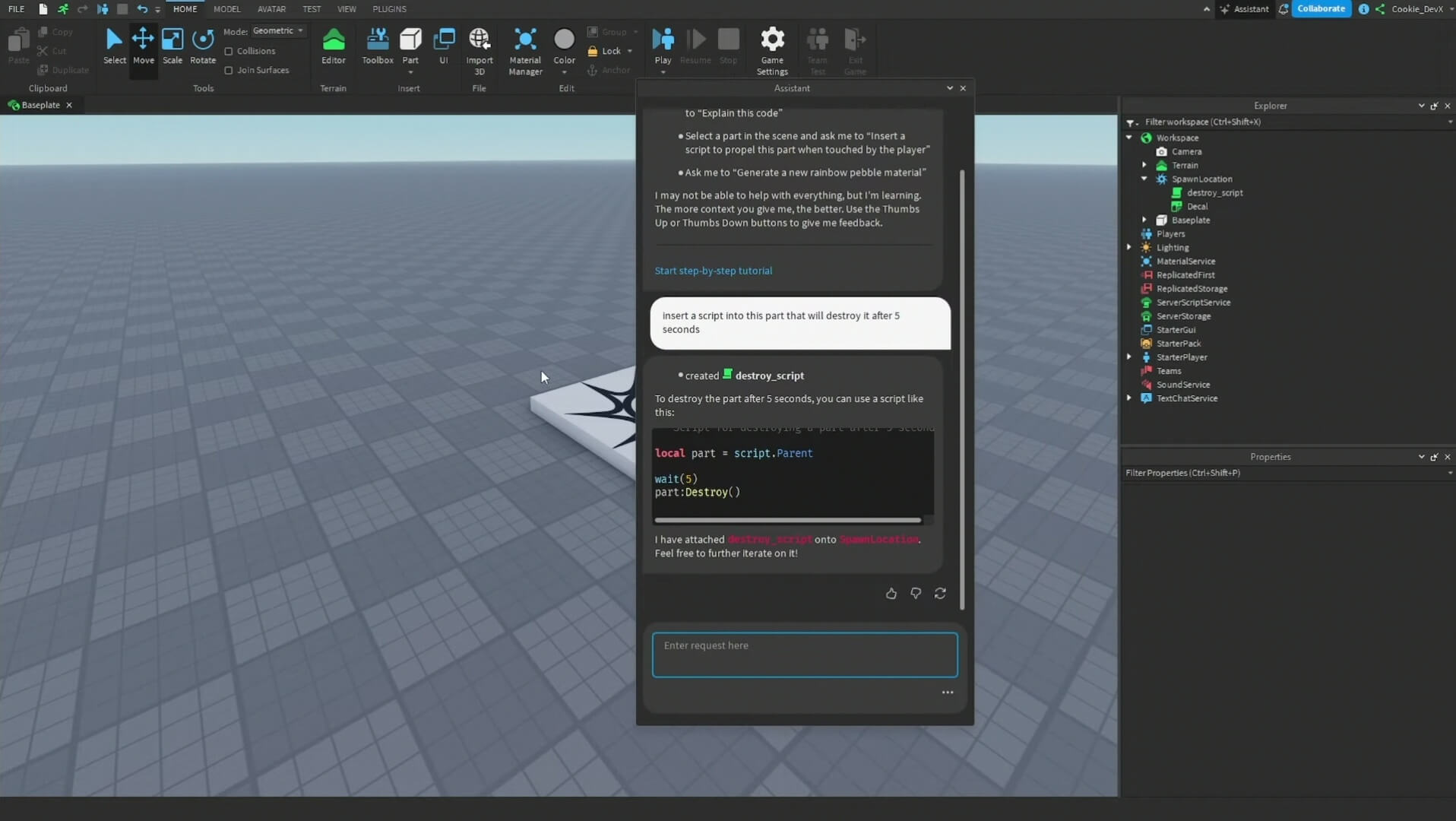
The best Roblox AI scripter for most creators is Roblox Assistant. It works inside Studio, can read and modify scripts and objects in your place, and can run playtests instead of handing you a code block and wishing you luck. That direct access matters more than a chatbot winning a generic coding benchmark.
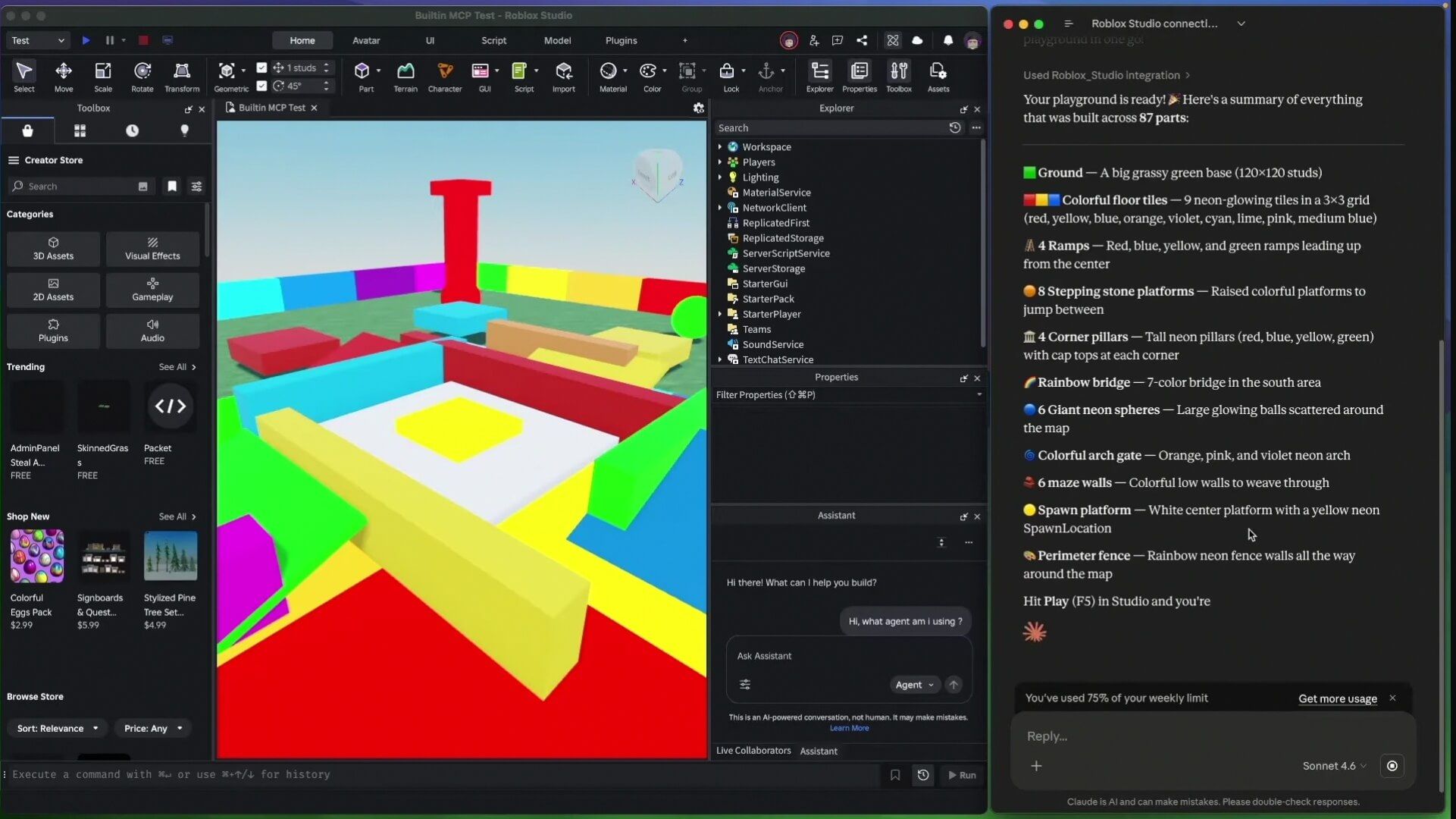
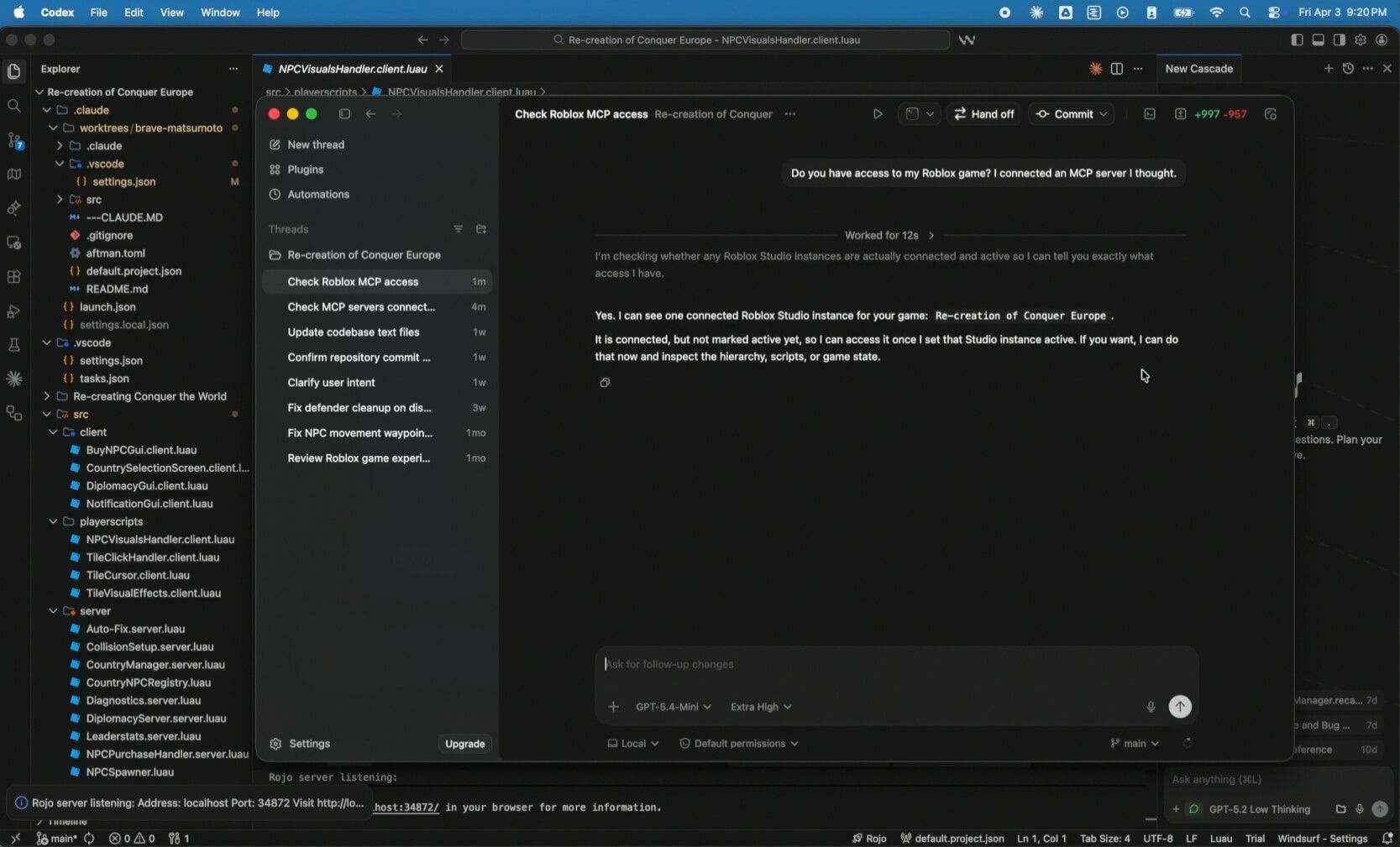
For a larger existing project, I would use Claude Code through Roblox Studio's built-in MCP server. It adds stronger project-level planning and debugging while retaining direct access to the data model, scripts, console output, and playtesting tools. The setup takes longer, but it is a better fit when one feature touches several ModuleScripts, RemoteEvents, and server systems.
Tags
Written by Alex Rider
Hey, I'm Alex—GemRaid's Roblox guy. I write no-nonsense field-tested guides and listicles to help you play smarter, cut the fluff, and get more out of every game.
You might also like
More guides and updates to help you stay ahead.
That is the short answer. The less convenient answer is that no AI is reliably the best at every Roblox job — and none deserves permission to rewrite a production game unsupervised.
Quick verdict
Best overall for most Roblox creators: Roblox Assistant
Best for complex systems and existing projects: Claude Code connected through Studio MCP
Best OpenAI-based Studio workflow: Codex CLI connected through Studio MCP
Best for autocomplete in a VS Code and Rojo workflow: GitHub Copilot
Best Google-based Studio workflow: Gemini CLI connected through Studio MCP
Best as a general tutor and copy-paste helper: ChatGPT
How this ranking was made: This is a researched workflow comparison, not a claim that every tool completed an identical private benchmark. I ranked the tools by Roblox context, direct Studio integration, ability to inspect existing code, edit across scripts, run or playtest changes, setup friction, and how much manual verification they still require.
Best AI for Roblox scripting compared
Tool
Best for
Studio awareness
Can edit the live code?
Main drawback
Roblox Assistant
Most creators and generators
Excellent
Yes
Generated code can still fail or miss the intended behavior
Claude Code + Studio MCP
Complex systems and debugging
Excellent through MCP
Yes
Extra setup and possible subscription or API cost
Codex CLI + Studio MCP
OpenAI users building inside Studio
Excellent through MCP
Yes
Command-line workflow is not beginner-friendly
GitHub Copilot
Fast inline coding with VS Code and Rojo
Depends on opened files and project context
In external files
Less useful if you work only in Studio
Gemini CLI + Studio MCP
Google users who want an agentic workflow
Excellent through MCP
Yes
More setup than the native Assistant
ChatGPT
Explanations, small scripts, and learning
Low unless you supply context
Usually copy and paste
Cannot infer your hierarchy from a vague prompt
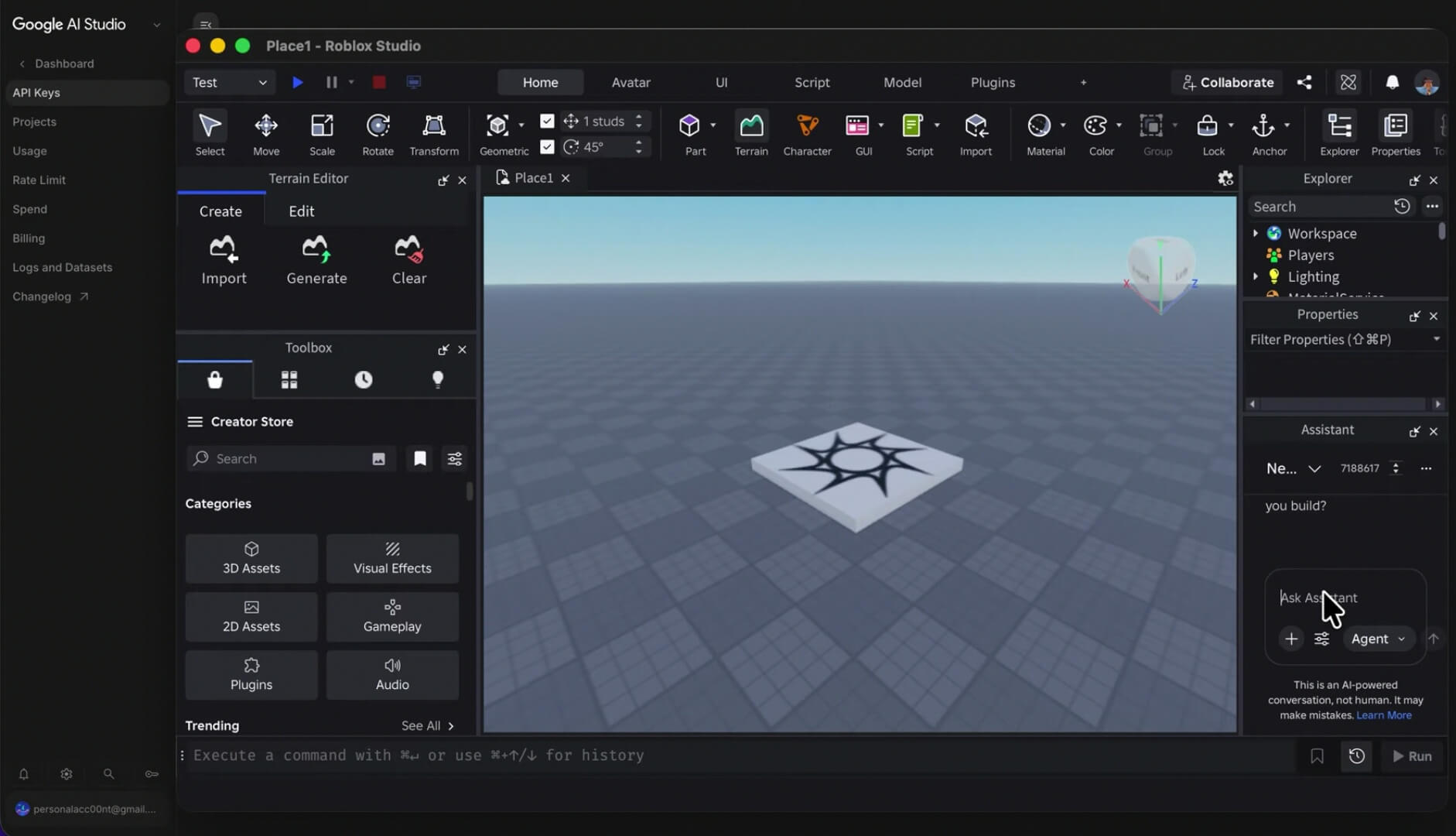
Roblox now gives both its native Assistant and supported external AI clients a much better route into Studio. The official MCP server can expose script reading and editing, data-model inspection, Luau execution, console output, and playtesting controls to compatible clients. Supported quick-connect options include Claude Code, Codex CLI, Gemini CLI, Cursor, and Visual Studio Code. That makes the connection to Studio almost as important as the model behind it. Roblox Studio MCP documentation
1. Roblox Assistant — best overall for most creators
If you want the best Roblox AI scripter without turning setup into its own side quest, start with Roblox Assistant. It is built into Studio and can answer development questions, explain selected code, create or modify scripts, change objects in the data model, and perform actions directly in the place. Roblox Assistant guide
That native context is the real advantage. Ask a browser chatbot to build a shop and it may invent paths such as workspace.Shop.BuyButton because you never told it where anything lives. Assistant can inspect the place and work with the objects that are actually there. It can also create coordinated pieces — Roblox's documentation gives the example of creating a RemoteEvent, a LocalScript, and a server Script together. Roblox Assistant guide
Planning Mode improves the workflow for larger requests. You can review and edit the proposed plan before clicking Build, so a misunderstanding does not immediately spray changes across the project. Roblox also documents playtesting and verification tools that let Assistant run the experience, read console output, and simulate input. Roblox Planning Mode announcement
Where it works well
Generating a small mechanic with clearly named objects
Explaining an unfamiliar script
Adding boilerplate without leaving Studio
Editing several related objects or scripts
Prototyping, playtesting, and iterating in one place
Learning where client and server code should live
Where it still goes wrong
Roblox itself says generated scripts might not work flawlessly and instructs creators to edit or regenerate them when necessary. Its beginner tutorial is even blunter: vague prompts can produce the wrong behavior or a script that does not work, and every result should be playtested. Roblox coding with Assistant tutorial
So, no, native integration does not make the output automatically correct. Assistant can see more of the board, but it can still make a bad move.
Verdict: Use Roblox Assistant first if you are new to Luau, work mainly inside Studio, or want the least-friction route from prompt to playable test. Just keep approval gates on until you trust the plan and understand the changes.
2. Claude Code with Studio MCP — best for complex Roblox systems
Claude becomes much more useful for Roblox development when it is connected to Studio rather than trapped in a browser tab. Roblox's built-in MCP server lets a compatible client read scripts, search the project, apply edits, execute Luau, inspect instances, start playtests, and retrieve console output. Claude Code is one of the clients supported by Studio's quick-connect setup. Roblox Studio MCP documentation
That workflow suits jobs where the answer is not “write one script.” Think inventory systems, round managers, quest chains, data migrations, or a combat feature split across client input, server validation, shared configuration, and UI. An agent can search for the existing modules first, propose an implementation plan, make targeted edits, and test the result.
Where it works well
Tracing a bug across several scripts
Refactoring interconnected modules
Planning a system before writing code
Comparing console errors with the code that caused them
Working in a documented, source-controlled project
The catch
MCP access is powerful because it can change the real project. That is also the risk. Roblox warns that connected clients can read and modify content in open places and says you should connect only clients you trust. Keep the project under version control, review diffs, and do not hand an agent open-ended permission on the only copy of your game. Roblox Studio MCP documentation
Verdict: This is my pick for experienced developers dealing with a real codebase rather than a blank baseplate. It has more setup than Assistant, but the project-aware workflow is worth it when a change crosses multiple systems.
3. Codex CLI with Studio MCP — best OpenAI workflow
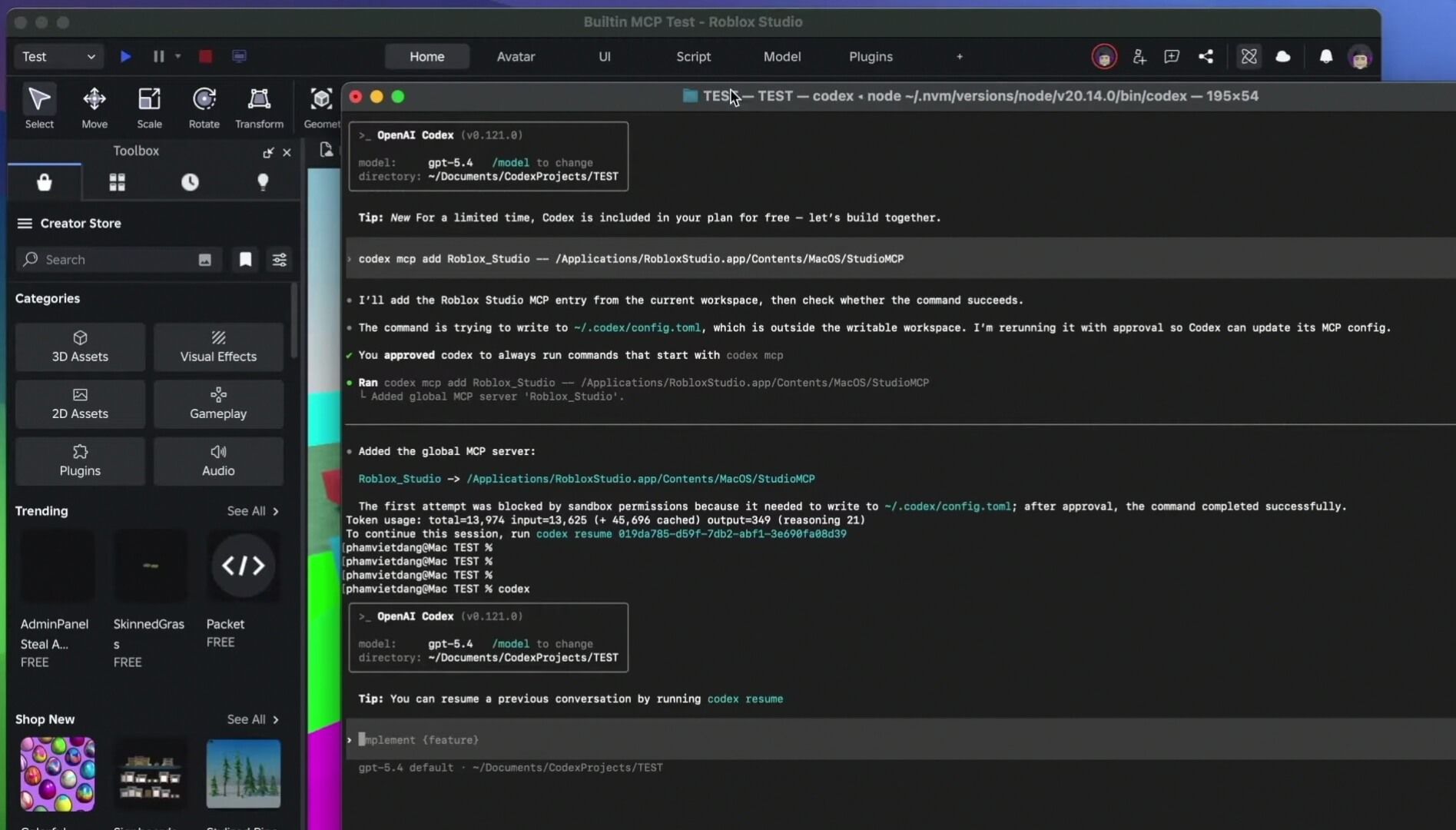
If you prefer OpenAI's coding tools, Codex CLI is a supported Studio quick-connect client. Once connected, it can use the same MCP surface to inspect the game tree, read and edit scripts, execute Luau, and participate in the test loop. Roblox Studio MCP documentation
This is a better answer to “Can ChatGPT script directly in Roblox Studio?” than copying code from a normal chat. The model is not guessing the hierarchy from your description; the connected client can query the open Studio session.
The downside is obvious: a CLI is not the friendliest place to start if you are still learning what ServerScriptService does. The tool can accelerate work, but it does not remove the need to understand the changes it makes.
Verdict: Choose Codex CLI if you already prefer OpenAI's coding workflow and want direct Studio access. Beginners will get moving faster with Roblox Assistant.
4. GitHub Copilot — best for VS Code and Rojo users
GitHub Copilot makes the most sense when your Roblox project already lives in external files and syncs into Studio through Rojo. It is good at the unglamorous work that eats time — completing repetitive functions, filling type annotations, suggesting tests, and helping refactor code while you stay in the editor.
Its position in this list is about workflow, not a claim that it understands every Roblox API better than the native tool. Copilot sees the files and context available in your editor. If the important hierarchy or configuration exists only inside Studio, you must expose that context through your project structure or another integration.
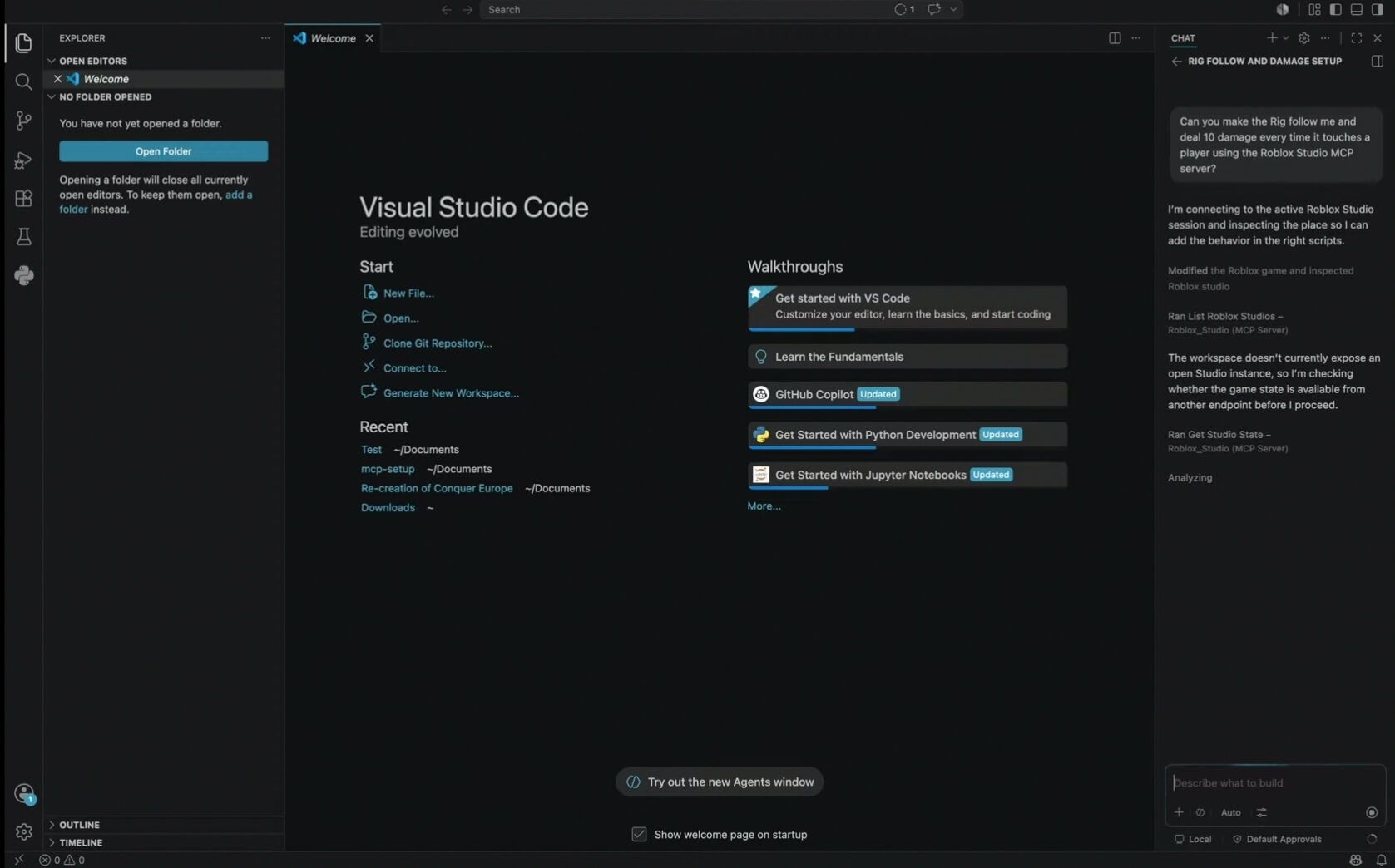
Roblox's own AI workflow documentation recommends external file-based setups with Rojo and Git for creators who want professional tooling and version control. Studio's MCP server also supports Visual Studio Code as a quick-connect client. Roblox AI workflow overview
Verdict: Use Copilot as a fast pair of hands in an established VS Code workflow. Do not rebuild your whole setup around it if you are comfortable scripting directly in Studio.
5. Gemini CLI with Studio MCP — best Google-based option
Gemini CLI is also supported by Roblox Studio's MCP quick connect. That gives it access to the project rather than forcing you to paste disconnected scripts into a general chat. Roblox Studio MCP documentation
It is a sensible option if your development workflow already revolves around Google's AI tools. The important part, again, is the MCP connection: game-tree inspection and test feedback are more valuable than a confident block of Luau generated without project context.
Verdict: A credible alternative for Google users, but not a compelling reason to switch if Roblox Assistant or another connected coding client already fits your workflow.
6. ChatGPT — best general tutor, not the best direct scripter
ChatGPT can write and explain Luau. It is useful for turning a mechanic into pseudocode, explaining an error, reviewing a small function, or teaching concepts such as ModuleScripts and RemoteEvents. It is also easy to use — which is not nothing.
But a normal ChatGPT conversation cannot see your Explorer hierarchy, open scripts, object properties, or Output window unless you provide that information. If you ask for “a working inventory system” with no paths, data format, ownership rules, or save requirements, you are asking it to fill the gaps. It will. That does not mean the guesses will match your game.
For OpenAI users who want direct Studio interaction, a supported MCP client such as Codex CLI is the stronger workflow. Use ChatGPT as a tutor and reviewer when copy and paste is enough.
Verdict: Good for learning and isolated tasks. Not my first pick for editing a serious existing Roblox project.
Are third-party Roblox AI scripter plugins worth it?
Some are. But “built specifically for Roblox” is a product description, not a quality certificate.
A third-party plugin may offer useful project context, automatic script insertion, or a friendlier interface. It may also send your code to an external service, require broad Studio permissions, disappear when its maintainer loses interest, or generate code no better than the general model underneath it. The research document supplied for this article names several specialist tools, but the evidence for their comparative performance is mostly self-published marketing rather than a repeatable independent benchmark.
Before installing one, check:
Who maintains it? Look for a real update history and support channel.
What can it access? Read the permission prompts instead of clicking through them.
Where does your code go? Check the privacy policy and retention terms.
Can you review changes first? A proper diff or approval step is more useful than a flashy “build my game” button.
Can it test its output? Script generation without execution or playtesting is only half a workflow.
Can you undo everything? Use version control or a duplicate place before granting write access.
Since Roblox now supplies a built-in Assistant and an official MCP server for external clients, an unknown plugin needs to offer something meaningfully better than those routes. “AI-powered” alone does not clear that bar.
What the best Roblox AI scripter should actually do
A useful Roblox AI tool needs more than Luau syntax. It should understand the execution model around the code.
Know where the script runs
A server Script, LocalScript, and ModuleScript do different jobs. The AI should identify the script type and location before generating code. If it places authoritative currency logic on the client, the script may run — it is just insecure.
Respect the client-server boundary
Roblox's security guidance says never to trust the client. Data sent through RemoteEvents and RemoteFunctions should be checked on the server for permission, type, structure, value, and rate. Roblox security tactics
This is the test I care about most. Ask an AI to build a shop. If the client sends the price and the server blindly deducts it, you do not have a shop system; you have an exploit with a checkout screen.
Use real APIs
Generated code can look perfectly reasonable while calling a method that does not exist or using an old pattern. Check unfamiliar classes and methods against the Roblox Engine API reference before publishing.
Read the existing architecture
The tool should inspect current modules, naming conventions, remotes, and data structures before creating duplicates. Project awareness is why native Studio and MCP-connected workflows rank above plain chat for serious work.
Test rather than declare victory
A generated script is not “working” because the AI says it is. Run it. Check Output. Test with multiple clients where replication matters. Trigger failure paths. Roblox Assistant and the official MCP tools can start playtests and collect console output, but you still need to judge whether the behavior is correct. Roblox Studio MCP documentation
How to prompt an AI for better Roblox scripts
“Make me a combat system” is not a brief. It is an invitation for the model to invent your game.
Use this structure instead:
You are editing a Roblox experience that uses Luau.
Goal:
Add a server-authoritative sword attack with a 0.8-second cooldown.
The client sends only the attack request and aim direction.
The server validates player state, weapon ownership, range, and cooldown.
The server decides damage and target validity.
Use --!strict and explicit Luau types where practical.
Do not create duplicate remotes or folders.
Do not use deprecated APIs.
Process:
Inspect the existing scripts and hierarchy.
Explain the proposed changes.
Wait for approval.
Apply the smallest necessary edits.
Run a two-client playtest and report console errors.
That prompt works because it defines authority, paths, constraints, and a verification loop. Roblox's own prompting guide recommends exact instance names, explicit types, specific functions, and more detail when Assistant fails. Roblox Assistant prompt guide
A safer AI-assisted Roblox scripting workflow
1. Work on a duplicate or version-controlled project
AI can make broad edits quickly. That is helpful right up until the wrong scripts are overwritten.
2. Ask for a plan before code
Make the tool list the scripts, instances, and remotes it expects to touch. If the plan invents objects or misunderstands the architecture, fix that before execution.
3. Split the feature into client, server, and shared responsibilities
Write down who owns input, validation, state changes, UI, and persistence. Do not let the model quietly decide all of that inside one enormous script.
4. Apply small, reviewable changes
One mechanic at a time. Huge prompts produce huge diffs, and huge diffs hide stupid mistakes rather well.
5. Playtest after every meaningful step
Check the Output window, test the success path, and deliberately send bad input. Multiplayer systems should be tested with multiple clients—not only the single-player Play button.
6. Review security-sensitive paths manually
Pay special attention to:
Currency and inventory changes
Damage and hit detection
DataStore writes
Purchases and receipt processing
Trading
Admin commands
Teleports and matchmaking
Any RemoteEvent accepting client values
Roblox requires the server to validate client-supplied data and recommends rate limiting client-triggered server logic. Securing the client-server boundary
7. Check performance and cleanup
Look for endless loops without proper yielding, connections that are never disconnected, repeated GetDescendants() scans, unnecessary per-frame work, and instances created without cleanup. AI loves code that demonstrates the idea. Production code has to survive players using it.
What is the best AI for Roblox Studio scripting?
For most users, Roblox Assistant is the best AI for Roblox Studio scripting because it is already inside Studio, understands the open place, can make direct changes, and can participate in a playtest loop.
For experienced developers working across a larger project, Claude Code connected through Roblox Studio's built-in MCP server is the stronger choice. Codex CLI and Gemini CLI are credible alternatives using the same official connection, while GitHub Copilot remains useful for developers committed to VS Code and Rojo.
The tool matters, but the workflow matters more. Give the AI exact context, keep the server authoritative, review every diff, and test the result. Otherwise, even the best Roblox AI scripter is just a very fast way to create bugs you do not yet understand.
Frequently asked questions
What is the best Roblox AI scripter?
Roblox Assistant is the best starting point for most creators because it works directly inside Studio and can inspect, edit, and test the current place. For complex existing projects, Claude Code connected through the official Studio MCP server offers a more capable project-level workflow.
What is the best AI for Roblox scripting for beginners?
Start with Roblox Assistant. It requires no external coding environment and can explain or insert scripts inside Studio. Ask it to explain each change, then playtest the result rather than accepting code blindly.
Can ChatGPT write Roblox scripts?
Yes. ChatGPT can generate and explain Luau, especially for small or isolated tasks. A normal chat cannot see your Studio hierarchy or Output window, though, so you must provide script locations, object paths, errors, and client-server requirements yourself.
Can AI create an entire Roblox game?
AI can prototype mechanics, scripts, UI, and objects, and Roblox Assistant now supports planning and playtesting workflows. A publishable game still needs human decisions about architecture, security, balance, art direction, moderation, performance, and whether the result is actually fun.
Is Roblox Assistant free?
Roblox provides Assistant inside Studio. Usage limits, feature availability, and any bring-your-own-model costs can change, so check the current Assistant settings rather than relying on an old pricing table.
Is AI-generated Roblox code safe?
Not automatically. Treat client input as untrusted, validate remotes on the server, rate-limit sensitive actions, review purchase and DataStore code, and test with multiple clients. The generator does not take responsibility for what you publish.
Does Roblox Studio support Claude or other external AI tools?
Yes. Roblox Studio's built-in MCP server supports compatible external clients, with quick-connect options documented for Claude Code, Codex CLI, Gemini CLI, Cursor, Visual Studio Code, and others. Roblox Studio MCP documentation
Do I need to learn Luau if I use an AI scripter?
You do not need to memorize every API before starting, but you need enough Luau and Roblox architecture knowledge to review output. If you cannot tell which code belongs on the server, the AI can hand you a security problem that looks like a finished feature.