GemRaid - Free spins, coins, and gift codes that actually work.GemRaid - Free spins, coins, and gift codes that actually work.GemRaid - Free spins, coins, and gift codes that actually work.GemRaid - Free spins, coins, and gift codes that actually work.
TL;DR: No. There's no official Roblox app on any Nintendo Switch model as of 2026 — not the original, not the OLED, not even the Switch 2. The DNS browser trick lets you view your profile but can't run games. Installing Android to play Roblox requires exploiting your console (which voids your warranty and risks a ban). Just use your phone or PC.
If you're here searching "how to play Roblox on Nintendo Switch," I need to tell you something upfront: you can't. Not officially.
And before you click away thinking this is another useless article that doesn't answer the question — stick with me. Because while the simple answer is "no," there are workarounds floating around YouTube and Reddit that claim otherwise. Some of them technically work. Most of them are traps. And understanding why Roblox isn't on Switch (despite being on literally every other gaming platform) will save you hours of wasted effort and potential account bans.
Tags
Written by Henry Emmanuel
Hey, I'm Henry — a die-hard casual gamer who treats every spin, roll, and raid like it matters — because it does. I live for the 'just one more turn' rush and believe there's real strategy behind every mobile game worth playing.
You might also like
More guides and updates to help you stay ahead.
Let's cut through the noise.
Why Roblox Isn't on Switch (Despite Being "Perfect" for It)
Here's the frustrating part: the demographics line up perfectly. Nintendo's core audience is kids under 16 — exactly Roblox's target market. Fortnite and Minecraft both run on Switch. The Switch 2 has more than enough horsepower to handle Roblox. So what's the holdup?
It's not hardware anymore — it's architecture, economics, and corporate culture clash.
The JIT Compilation Problem
Roblox uses Luau (a modified version of Lua scripting) that relies on Just-In-Time (JIT) compilation to run user-created games efficiently. JIT compilers write code to memory and then execute it — which requires memory pages to be both writable and executable simultaneously.
Nintendo's security model forbids this. The Switch's Horizon OS enforces "W^X" (Write XOR Execute) memory protection to prevent piracy and exploits. Allowing Roblox's JIT engine would punch a massive hole in that security wall — potentially opening the floodgates to homebrew and pirated games.
Translation: For Roblox to work natively, Nintendo would either need to grant a special security exception (extremely unlikely) or Roblox would need to completely rewrite their engine for Switch — a massive technical undertaking that would cripple performance on the aging 2017 hardware.
The Safety Controversy That Killed Negotiations
In 2025, Roblox CEO David Baszucki gave a New York Times interview where he described child predators on the platform as "not necessarily just a problem, but an opportunity" to build better communication systems.
This statement probably nuked any ongoing talks with Nintendo. The company famously shut down the 3DS "Swapnote" app over minor safety incidents. Partnering with a CEO who frames predator mitigation as an "opportunity" rather than a zero-tolerance crisis? That's antithetical to Nintendo's family-friendly DNA.
The Robux Revenue Battle
Roblox operates a virtual economy where users buy Robux (in-game currency) and spend it across millions of user-created games. Nintendo requires a 30% cut of all revenue generated on its platform through the eShop.
The conflict: If you buy Robux on PC and spend them on Switch, Nintendo hosts the session but gets zero revenue. If Nintendo demands a cut of Robux bought on Switch, it eats into creator margins and Roblox Corp's profits. Cross-platform digital wallets have killed similar negotiations in the past — and nobody's budging here.
The Switch 2: Better Hardware, Same Barriers
The Nintendo Switch 2 launched with vastly improved specs — an NVIDIA Ampere-based SoC, DLSS support, likely 12-16GB of RAM, and 60fps capability for demanding games. Technically, it could run Roblox flawlessly.
But the software and policy barriers remain identical. The Switch 2 is backward-compatible with Switch 1 games, meaning any Roblox port would need to run on the 2017 hardware too — forcing optimization for the lowest common denominator and negating the Switch 2's advantages.
Bottom line: The Switch 2 didn't fix the real problem, which is that Roblox and Nintendo fundamentally disagree on security architecture, content moderation philosophy, and revenue sharing.
The Workarounds (and Why They Mostly Suck)
Despite the official absence, there are three methods people use to "get Roblox on Switch." Here's what they actually do — and what you need to know before wasting your time.
Method 1: The DNS Browser Trick (Browse Only, No Gameplay)
What it is: A hack that exploits the Switch's hidden web browser by changing your DNS settings to redirect network connection tests to a third-party server (SwitchBru). This opens a browser window where you can navigate to Roblox.com.
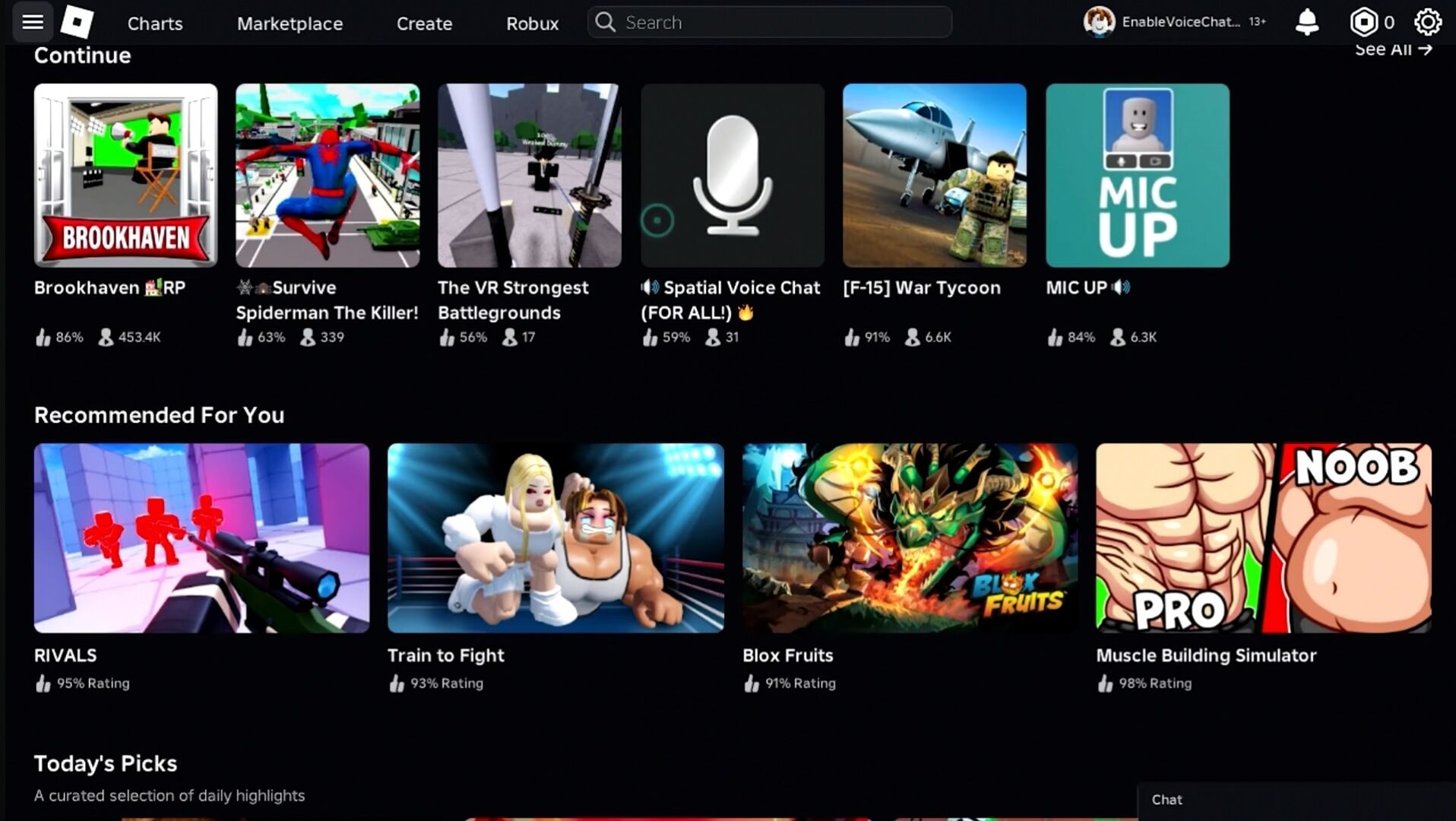
Critical limitation: You can view your profile, check messages, manage your avatar, and browse games — but you cannot play. The Switch's NetFront browser lacks WebGL and binary execution capabilities to run the Roblox Player.
How to do it (if you just want to browse):
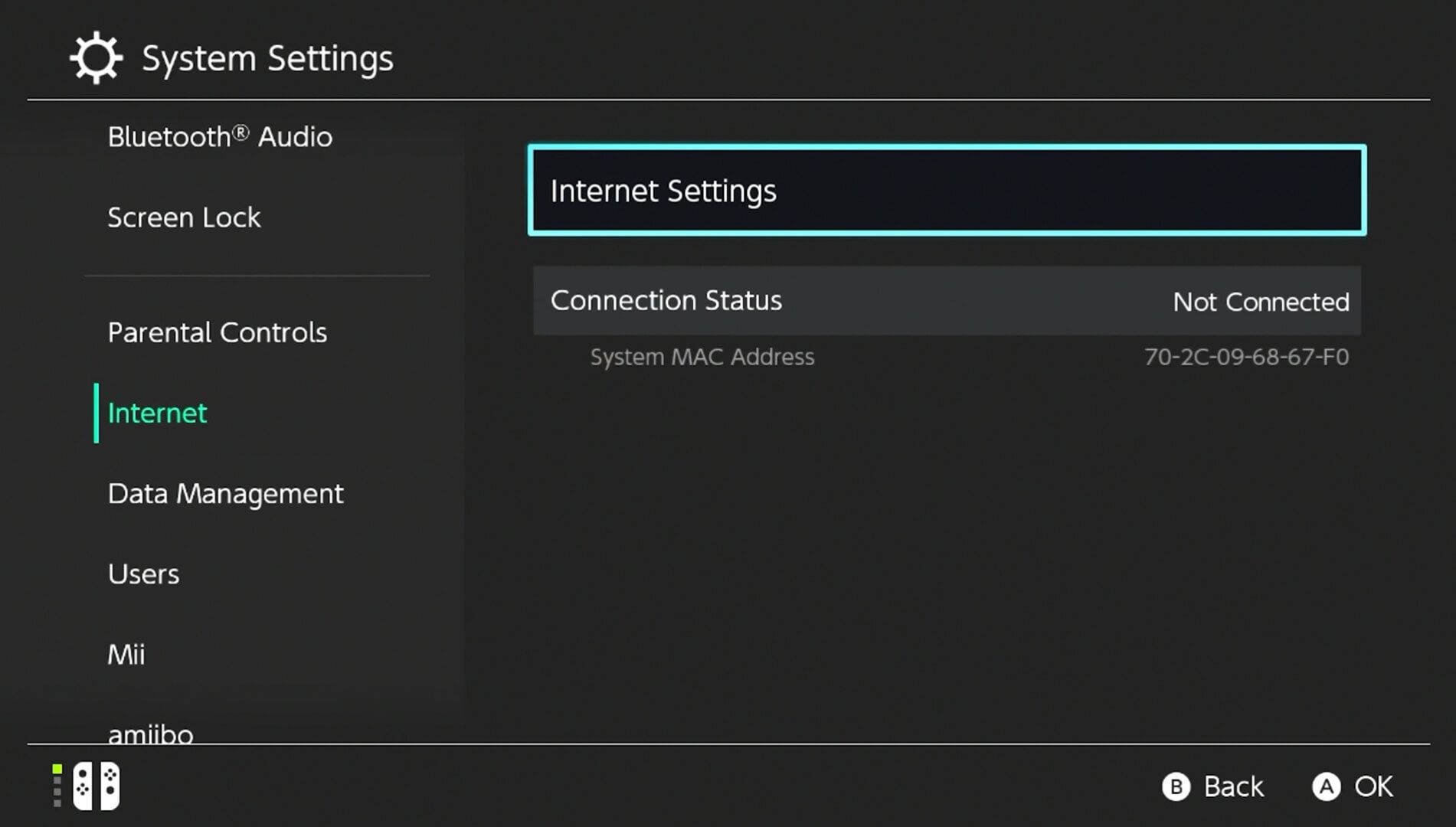
Go to System Settings → Internet → Internet Settings
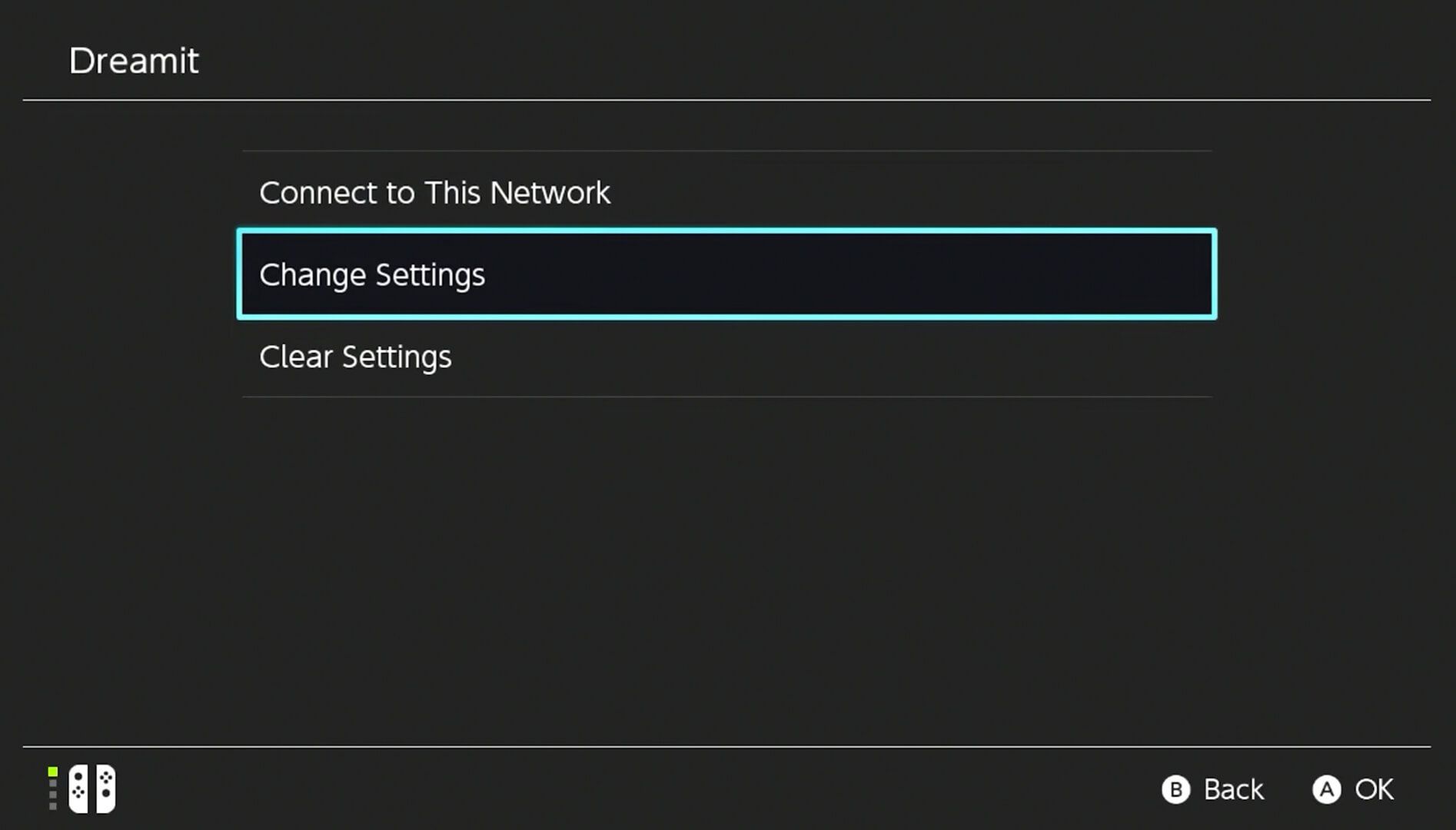
Select your Wi-Fi network → Change Settings
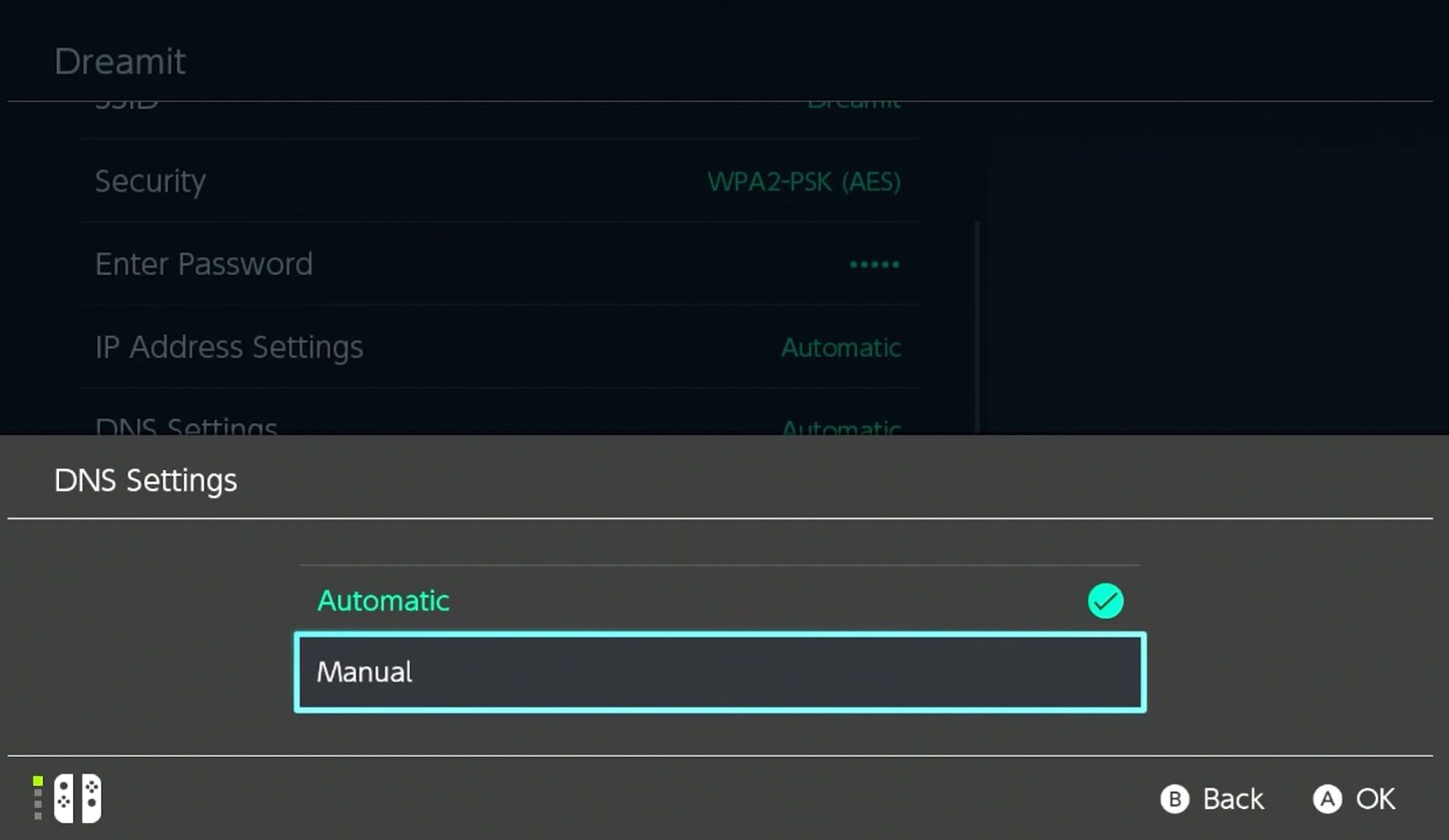
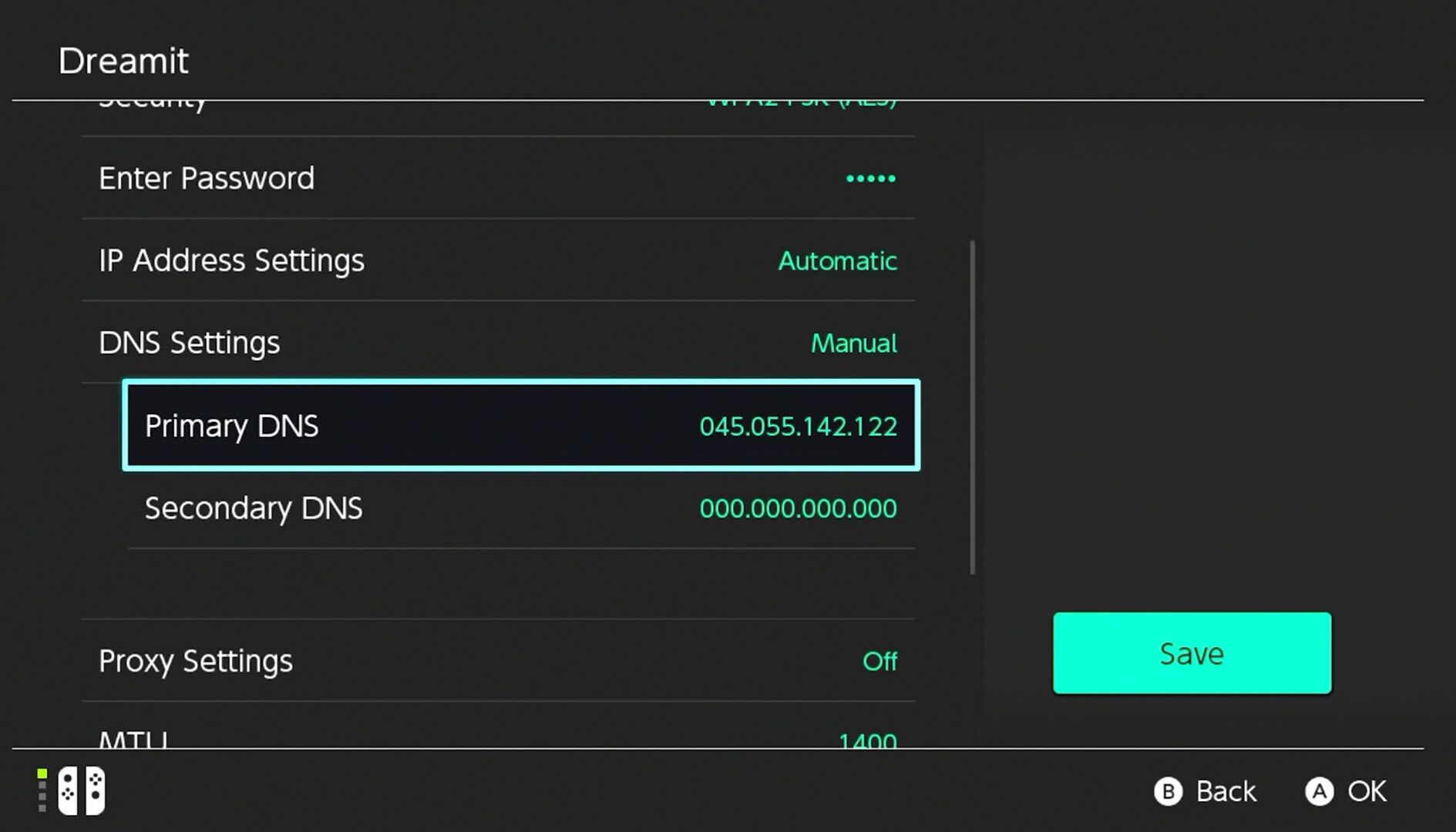
Scroll to DNS Settings → Change to Manual
Enter Primary DNS: 045.055.142.122
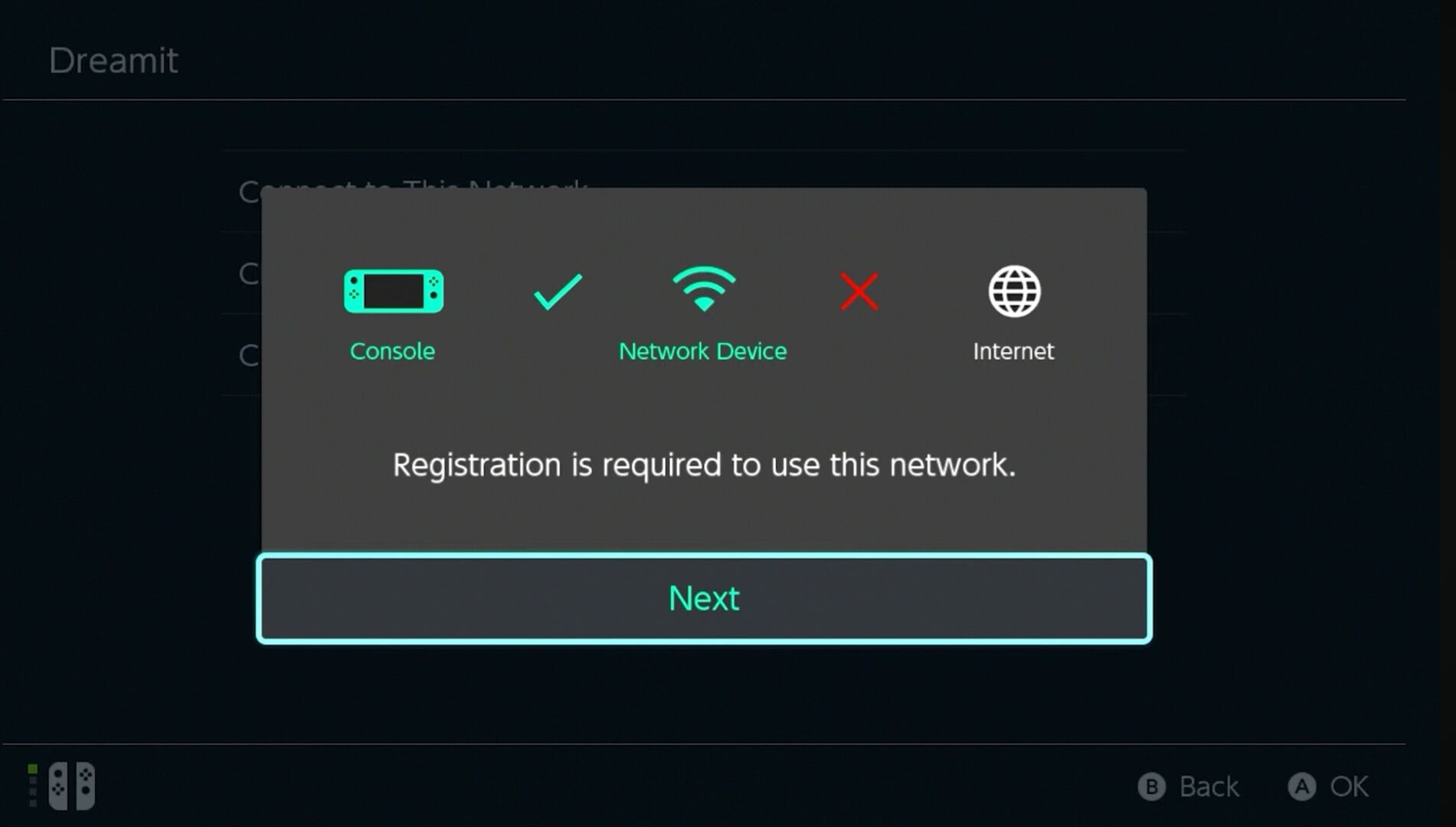
Save → Connect to this Network
Wait for the connection to fail → Select Next when prompted
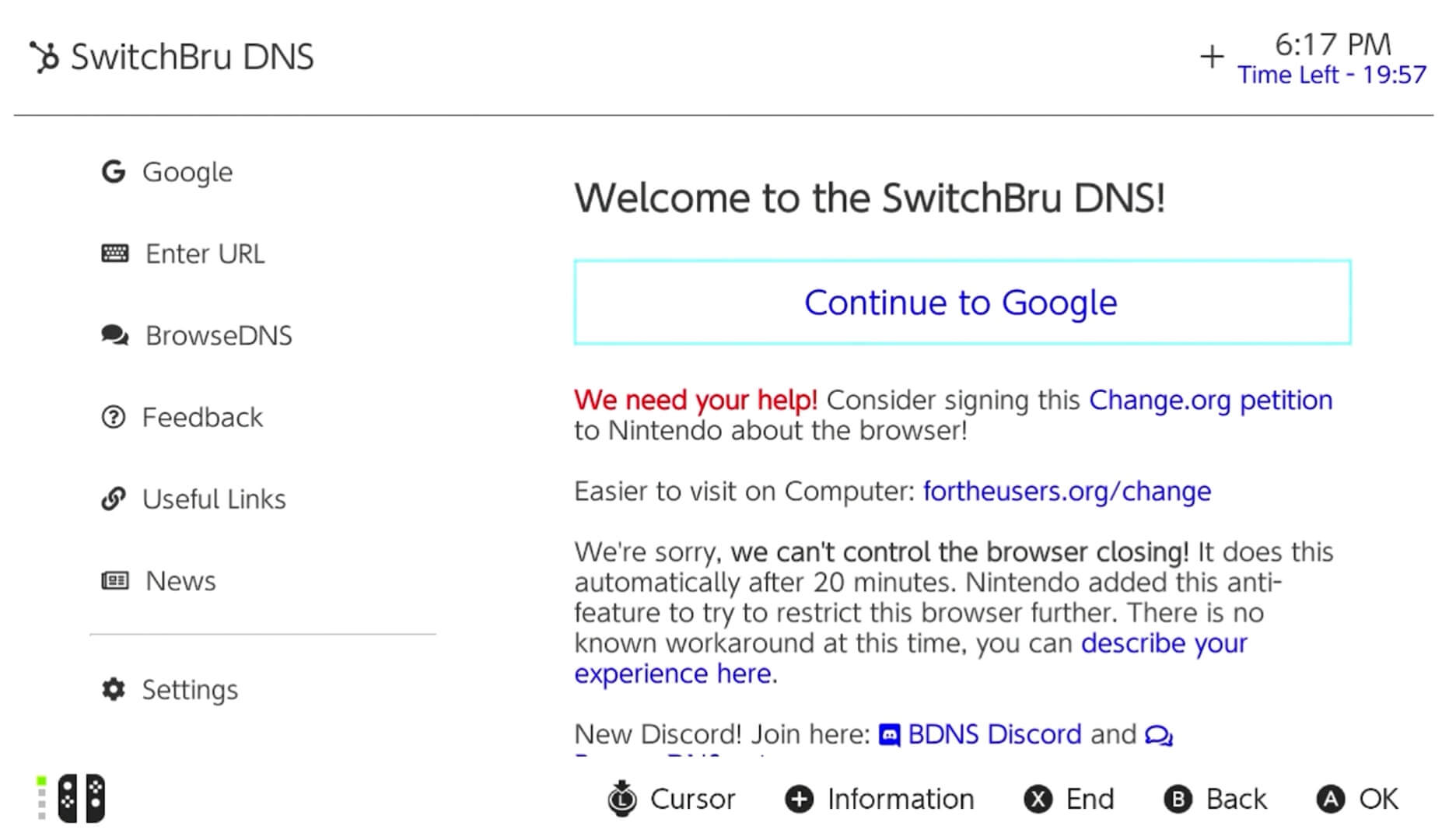
The SwitchBru browser load → Select Continue to Google
Then navigate to Roblox using the search option.
Security warning: You're routing traffic through a third-party DNS (045.055.142.122). While HTTPS encrypts your login credentials, metadata is visible to the DNS provider. Don't use this for sensitive activities.
Restoration: You must revert DNS to Automatic to use the eShop or play online multiplayer in other games, or you'll get connection errors.
Verdict: Good for checking your Roblox account on Switch when you're away from your phone. Useless for actually playing.
Method 2: Installing Android (The "Playable" Method)
What it is: Replacing the Switch's operating system with LineageOS (Android) so you can install the Android Roblox app from the Google Play Store and actually play games.
EXTREME WARNINGS:
Console ban risk: Nintendo's telemetry can detect unauthorized firmware. If you boot into the official OS while traces of the exploit remain active, your console may be permanently banned from Nintendo Network.
Bricking risk: Errors during SD card partitioning or OS flashing can corrupt your system memory, rendering the console unusable.
Voids warranty: Instant and total warranty void.
Hardware requirement: This only works easily on unpatched V1 Switch consoles (purchased before mid-2018) that have the fusée-gelée bootrom vulnerability. Patched V1s, V2s, Lites, OLEDs, and Switch 2s require hard modding (soldering a modchip) — extremely difficult and risky.
Performance: On a V1 Switch running Android, simple Roblox games (Obbys) run at 30fps. Graphically intensive games like Doors or Frontlines suffer severe lag due to the aging Tegra X1 chip and Android OS overhead.
Switch 2 modding: As of February 2026, soft-modding exploits for the Switch 2 are not publicly mature. You can't do this on the new console yet.
Verdict: Technically works, but it's a high-risk, high-skill modification that most users should avoid entirely. If you brick your $300 console trying to play Roblox, you've made a terrible trade.
Method 3: Screen Mirroring (The Sanest Workaround)
What it is: Play Roblox on your phone or tablet and use the Switch as a display via screen mirroring apps.
How: Connect your mobile device and Switch to the same Wi-Fi → Use an app like AirServer or ApowerMirror to cast your phone's screen to the Switch.
Pros: Zero risk, zero modification, works on all Switch models.
Cons: Input lag, requires a separate device, not true "native" gameplay.
Verdict: If you really want to see Roblox on your Switch screen without risking your console, this is the safest option.
What About "Roblox Coming to Switch" Videos on YouTube?
Most are clickbait. Here's what you're actually seeing:
Misinformation: Thumbnails claiming "Roblox for Switch CONFIRMED!" with footage from other platforms or mockups.
The DNS trick: Showing the browser method (which doesn't play games) and pretending it's a full solution.
Android modding tutorials: Legitimate technical guides, but they bury the risks and difficulty to maximize watch time.
As of 2026: There is no Roblox cartridge, no eShop download, and no official announcement of a Switch port. Anyone claiming otherwise is lying or confused.
The Future: Will Roblox Ever Come to Switch?
Possible paths forward:
1. Cloud Version (Most Likely)
A "Cloud Version" where Roblox runs on remote servers and streams to your Switch (like Resident Evil Village on Switch). This would bypass the JIT security issue and storage constraints. The Switch 2's improved networking makes this technically viable.
Likelihood: Moderate. Roblox hasn't historically embraced cloud gaming, but it's the cleanest solution to the technical barriers.
2. Safety Alignment
Roblox's 2026 "Trusted Connections" update — which restricts high-risk features like unmonitored voice chat to age-verified users — brings the platform closer to Nintendo's safety standards. If a port happens, Nintendo will likely require this verification for all Switch players, creating a sanitized version of Roblox for the console.
Likelihood: High if a port happens. Low impact on whether it happens.
3. Never
The corporate cultures are too incompatible. Nintendo's curated walled garden vs. Roblox's chaotic user-generated content platform is a fundamental mismatch. The Robux revenue dispute may never resolve.
Likelihood: Unfortunately, this might be the reality.
Comparison: Why Minecraft and Fortnite Made It But Roblox Didn't
Feature
Roblox
Minecraft
Fortnite
On Switch?
No
Yes
Yes
Engine
Proprietary (Cloud gaming)
Bedrock (Local + Server)
Unreal Engine 4/5
Content Creation
In-game scripting (LUA/JIT)
External tools/Add-ons
Creative Mode (No scripting)
Safety Risks
High (Unmoderated UGC chat)
Moderate (Private servers)
Moderate (Voice chat)
Port Difficulty
High (Requires engine rewrite)
Native port exists
Native scalability
The key difference: Minecraft and Fortnite are games. Roblox is a development platform and game browser that executes millions of unverified user scripts. Porting Roblox isn't porting software — it's porting an entire execution environment that Nintendo strictly regulates.
If You Just Want Privacy While Playing Roblox Elsewhere
Since you can't play on Switch, many former Switch-hopefuls migrate to PC or mobile. If you want the "console-like" privacy experience (playing without random joins or harassment), Roblox's 2026 privacy updates make this easier:
Quick privacy lockdown:
Open Roblox → Settings → Privacy
Set "Who can join me in experiences?" to "No one"
Set "Show my online status" to "No one" (Ghost Mode — you appear offline)
Set "Who can message me?" to "No one"
Result: You play in peace, invisible to everyone unless you specifically invite them to a Private Server.
The Bottom Line
Can you get Roblox on Nintendo Switch in 2026?
Officially: No.
Via DNS browser trick: Yes, but only to view your profile — no gameplay.
Via Android modding: Yes, but with extreme risk of console bans, bricking, and voided warranty.
Via screen mirroring: Yes, but it's just casting from another device.
For 99% of users, the answer is: Don't bother. Play Roblox on the platform it's designed for — PC, mobile, Xbox, or PlayStation — and use the robust privacy settings to simulate the safe, closed experience you'd want from a console.
Will an official port ever happen?
Maybe, if Roblox agrees to a Cloud Version and Nintendo's safety demands. But after five years of "Coming Soon" narratives and zero progress, the safer bet is to stop waiting and just use your phone.