GemRaid - Free spins, coins, and gift codes that actually work.GemRaid - Free spins, coins, and gift codes that actually work.GemRaid - Free spins, coins, and gift codes that actually work.GemRaid - Free spins, coins, and gift codes that actually work.
Roblox calls them “Communities” now in the menus, but ask literally anyone who’s played the game for more than a week and they’ll still call them Groups. Old habits die hard — and honestly, the rebrand doesn’t change a single thing about how they actually work.
Here’s the thing worth knowing upfront: joining costs you nothing. Zero Robux, no subscription, no catch. What trips people up isn’t the concept — it’s finding the button, dealing with platform-specific quirks (looking at you, Xbox), and figuring out whether that “like and join for a reward” popup is actually checking what it claims to check. We’ll cover all of it.
Tags
Written by Alex Rider
Hey, I'm Alex—GemRaid's Roblox guy. I write no-nonsense field-tested guides and listicles to help you play smarter, cut the fluff, and get more out of every game.
You might also like
More guides and updates to help you stay ahead.
How to Join a Group on Roblox (PC / Browser)
This is the cleanest version of the process, and if you’ve got the option, do it here rather than on mobile.
Log into Roblox on your browser.
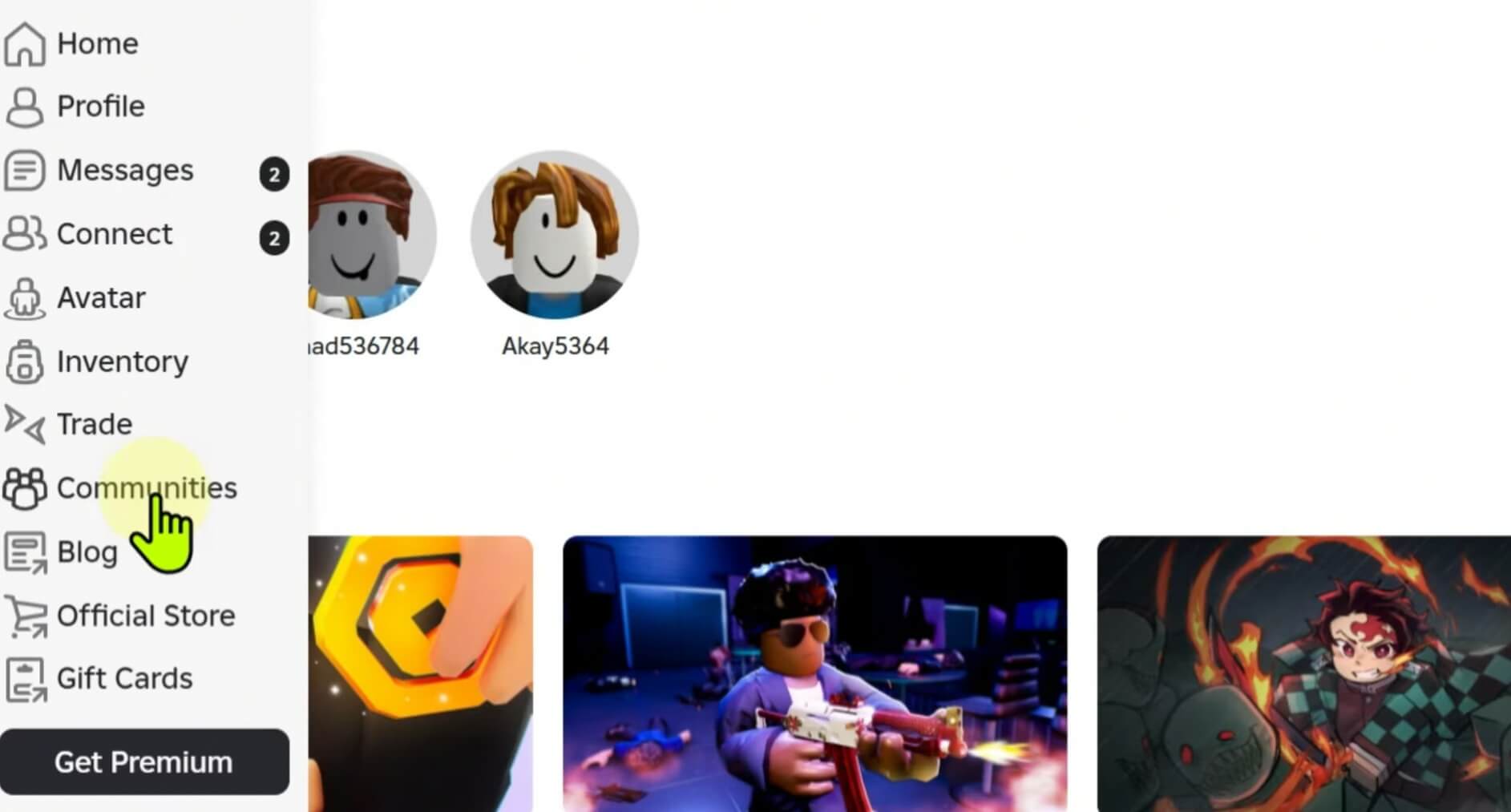
Click the hamburger menu (☰) on the left side of the home screen.
Select Communities (some regions still show “Groups” — same thing, the servers just haven’t fully caught up to the new label).
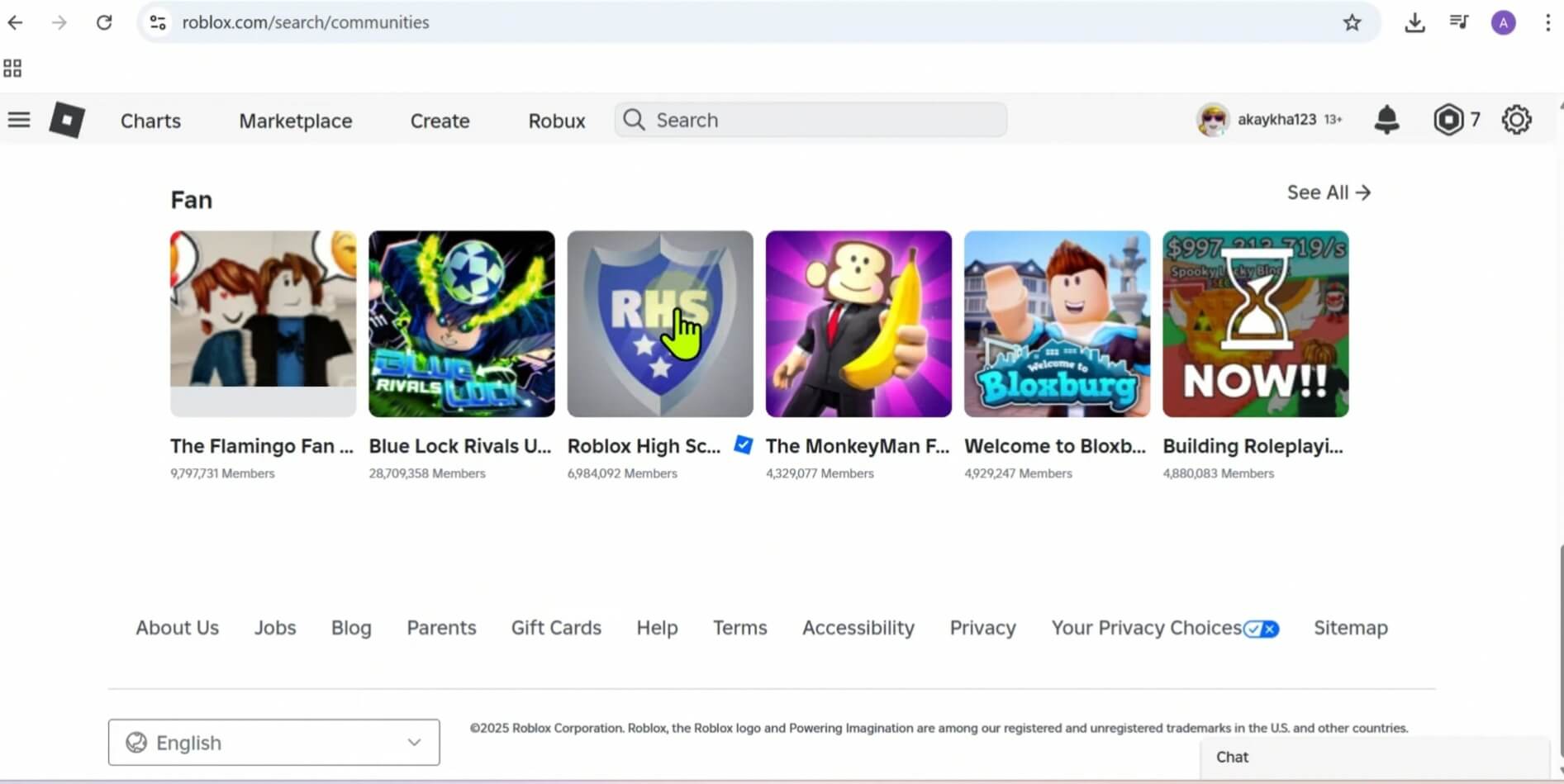
Use the search bar at the top to look up the group — by game name, by the developer’s username, whatever gets you closest.
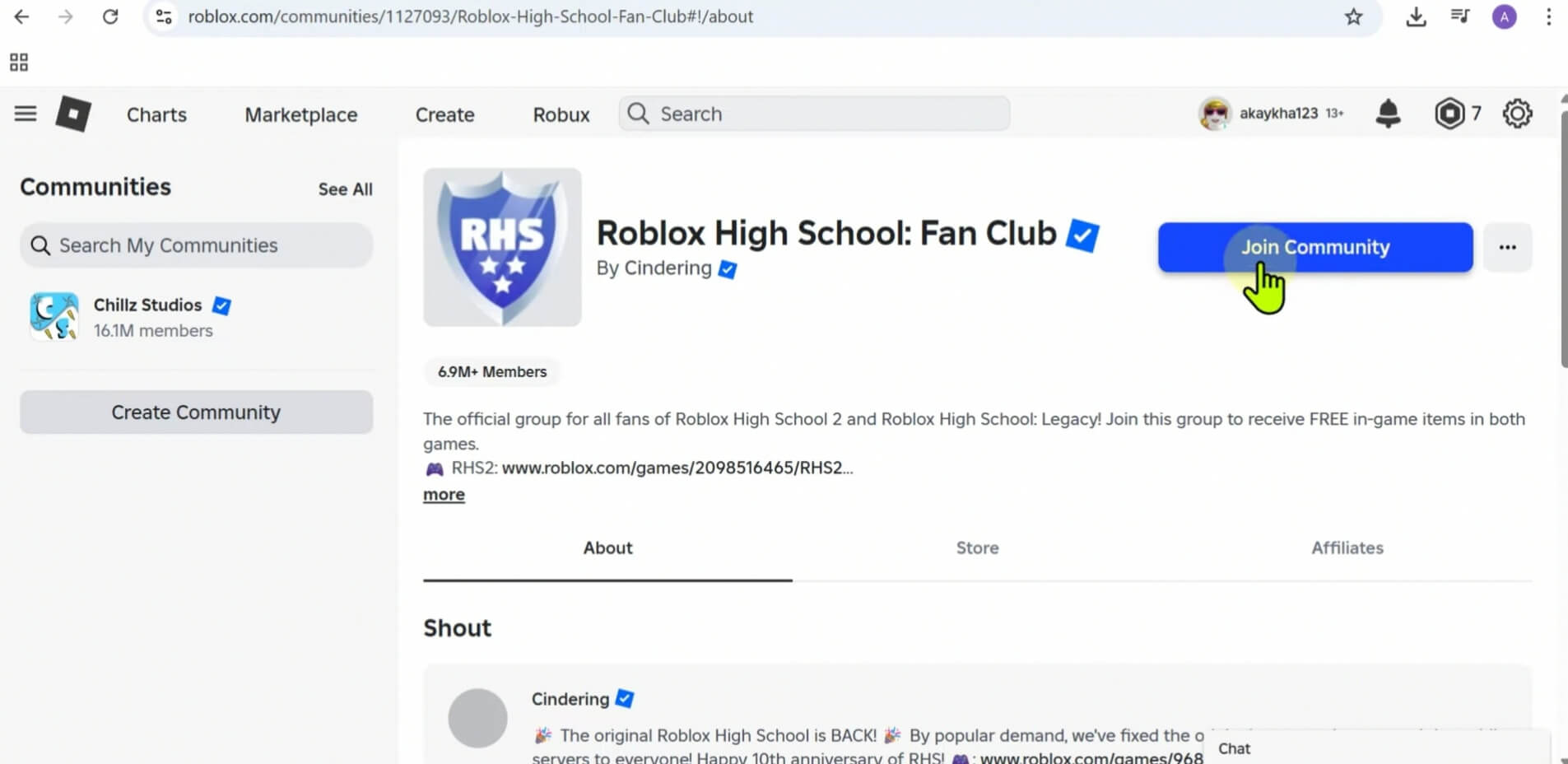
Open the group’s profile and click the blue Join Community button next to the group’s icon.
What happens next depends on how the group’s owner configured entry. If it’s set to “Anyone Can Join,” you’re in instantly — no waiting, no approval. If the owner requires manual approval, your request sits in a queue until an actual human reviews it, which can take anywhere from a few hours to a few weeks depending on how active the admin team is. Some larger, stricter development groups reportedly ask applicants to send a message or complete a verification step before approving — this varies group to group and isn’t something you can predict in advance.
How to Join a Group in Roblox Mobile
Same destination, different route — mobile buries this stuff a layer deeper because the app prioritizes getting you into a game, not managing your social graph.
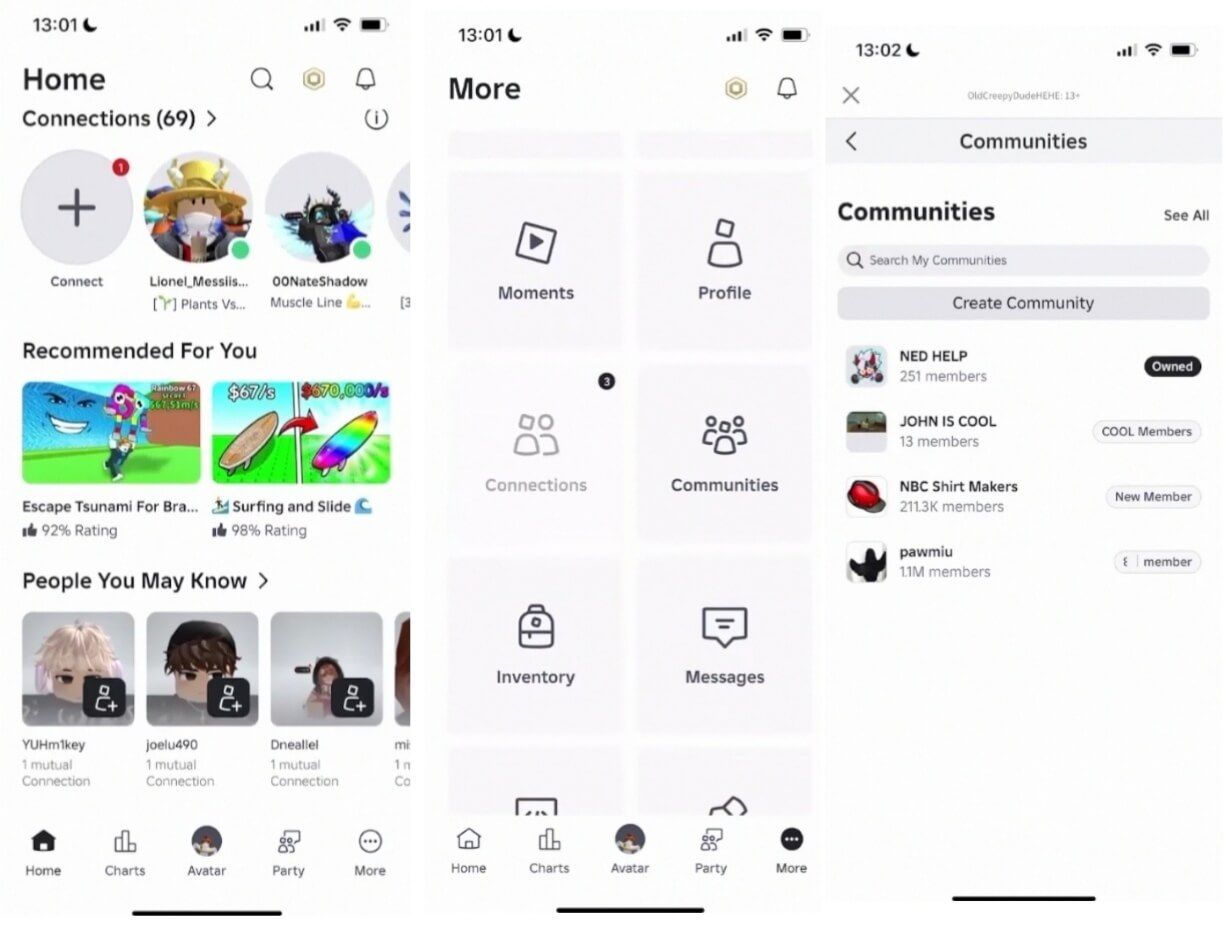
Open the Roblox app and tap the More icon — the three dots (•••) on the bottom nav bar.
Tap the Communities tile from the grid that pops up.
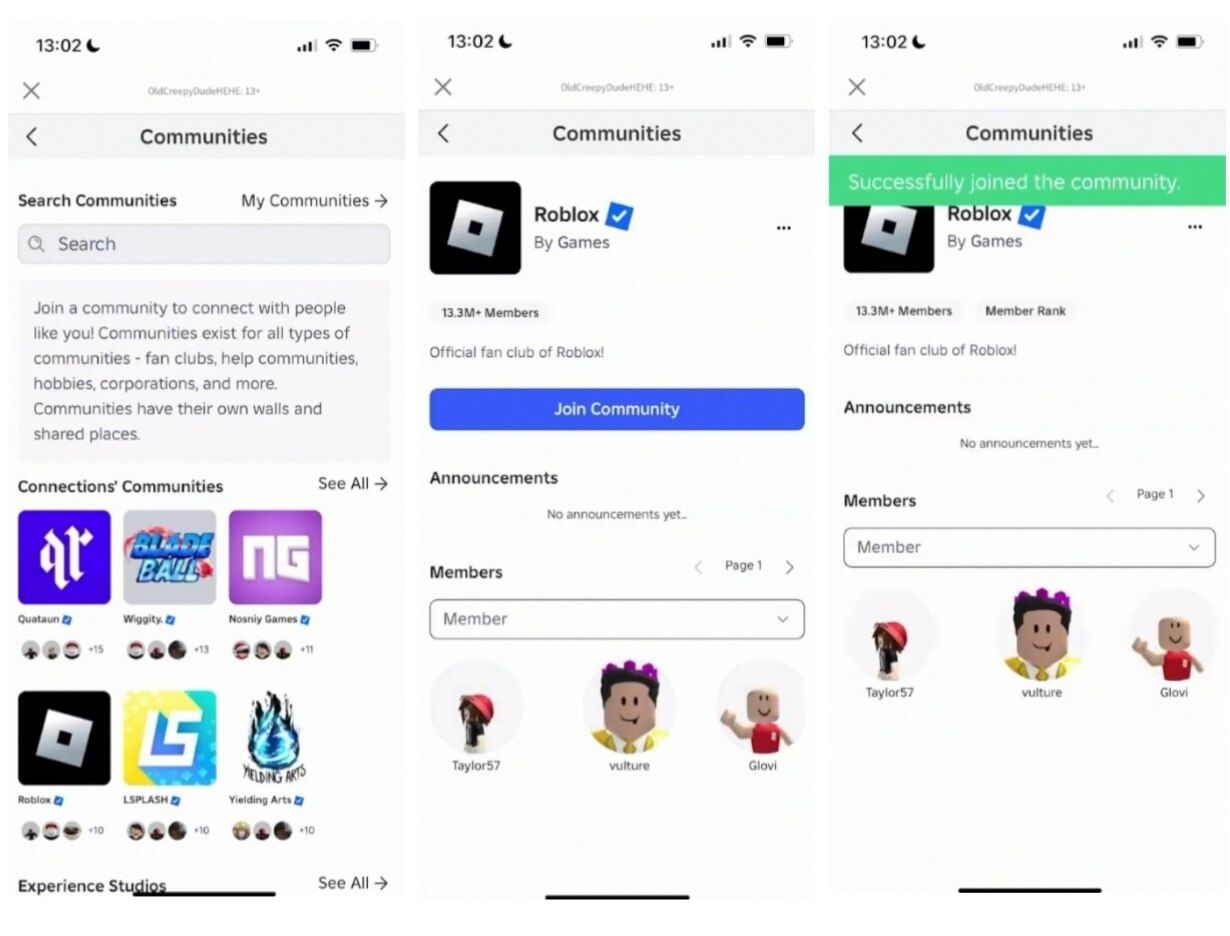
Search by name using the magnifying glass icon, or tap More Communities to browse suggestions based on what you’ve been playing.
Open the group and tap Join Community.
One heads-up if you’re on mobile specifically: this is the platform where the Join button is most likely to just… not show up. Usually a caching issue, not a you problem. Force-close the app, clear its cache, relaunch, and try again. If it’s still ghosting you, hop on a browser instead — the web version is just more stable.
How to Join a Group in Roblox on Xbox
Here’s the part nobody tells you clearly enough: you can’t join a group directly from the Xbox app. The native console client is stripped down to focus on running games — there’s no Communities tab, no search bar for it, nothing. This isn’t a bug, it’s just how Microsoft’s console environment is set up.
The workaround is straightforward once you know it:
Exit or suspend Roblox on your Xbox.
Open Microsoft Edge from your dashboard (it’s built into every Xbox).
Go to the Roblox website and log in with your Xbox-linked account.
Since Edge loads the full desktop site, you get the entire menu back — hamburger icon, Communities, search bar, all of it.
Find your group, hit Join Community using your controller to move the cursor.
Close Edge and relaunch Roblox. Your membership syncs instantly because it’s all the same account database — any group-locked perks, cosmetics, or loadouts will already be unlocked when you load back in.
PlayStation works the same way through its own built-in browser, for what it’s worth.
The “Like and Join” Trick — What’s Actually Being Checked
You’ve seen this a hundred times: a locked chest, a VIP door, a sign that says “Like the game and join our group to unlock this!” Games like Rivals, Pickaxe Tycoon, and The Everything Factory lean on this constantly. So here’s what’s actually happening behind the scenes, because it’s not quite what the sign implies.
Roblox gives developers a scripting tool called IsInGroup() that checks — instantly and with total accuracy — whether your account is a member of a specific group. That part is real. If you haven’t actually joined, the game knows, and the reward stays locked.
Also read
The “Like” half is a different story. Roblox deliberately keeps individual Like data private — there’s no API that lets a developer’s script check whether you personally clicked the thumbs-up on their game page. It’s not that developers chose not to check it. They technically can’t. So when that popup demands both actions, the script running behind it is only ever verifying group membership. The Like requirement is functionally decorative — most players just do it anyway because they don’t know the backend can’t see it.
One exception worth flagging: some studios use a workaround tied to a function called GetFavorite(), which can verify whether you’ve favorited (starred) a game. So if a prompt specifically asks you to Favorite rather than Like, there’s a chance that one’s actually being enforced. Liking isn’t.
Bottom line: if you’re short on time, join the group. That’s the only step that’s mechanically required to get the reward.
Group Limits You Should Know Before You Start Joining Everything
A couple of hard caps built into the platform:
100 groups per account, max. This is a system-wide ceiling meant to stop bot accounts from mass-joining thousands of groups. If you hit it, the “Join” button won’t even appear on new group pages — Roblox often doesn’t bother showing an error message, it just silently hides the button. If that happens and you’re sure the group itself isn’t the problem, go audit your existing memberships, leave one you don’t need (three-dot menu → Leave Group), and the button will reappear on refresh.
Creating a group costs 100 Robux. Joining is always free — that fee only applies if you’re the one starting a new group, and it exists mainly to keep the platform from getting flooded with throwaway, spam-only groups.
Finding Legitimate Groups Without Wading Through Spam
Typing something generic like “anime” or “clothing” into the search bar gets you buried in low-effort, often abandoned groups — some of which are outright phishing fronts. A few ways to search smarter:
Search the exact name of the game or the developer’s username instead of a broad genre term.
If you already have the group’s numeric ID (shared in a Discord, a YouTube description, a wiki page), you can jump straight to it by pasting it into the URL structure roblox.com/groups/[ID]/Group-Name — this skips the search algorithm entirely.
The safest bet: scroll below a game’s Play button on its store page and look for the Developer attribution link. Clicking it takes you straight to the official group tied to that title, so you know it’s legitimate.
Staying Safe Once You’re In
Groups are also a favorite target for scammers, so a quick gut-check before joining pays off:
Anything promising free Robux or currency generators — fake, every time.
Group Walls flooded with unmoderated links to sites outside Roblox — don’t click.
Fake versions of well-known creators, often using lookalike spelling tricks (a lowercase “l” swapped for a capital “I,” that sort of thing).
Anyone posing as an admin and asking for your password or 2FA code under the guise of “verifying your account.” Roblox staff and legitimate group admins will never ask for this.
If you spot a group breaking the rules, use the Report Abuse option in the profile’s settings menu rather than arguing with them on the Wall — that just tends to invite retaliatory reports against you.
Quick Troubleshooting
Problem
Likely cause
Fix
No “Join” button shows up at all
You’ve hit the 100-group cap
Leave an old group, refresh the page
Button missing, only on mobile
App caching glitch
Force-close app, clear cache, relaunch — or switch to browser
Joined but nothing unlocks in-game
Manual approval group, request still pending
Wait it out; some groups take days or weeks to review
Can’t find the group at all on Xbox
Native app has no Communities tab
Use Edge browser on the console dashboard instead
Search results are all spam
Query too generic
Search the exact game/dev name, or use the Developer link on the game’s page
FAQ
How do I join a group on Roblox for free? There’s no paid version — joining a group has never cost anything. The only fee on the platform is 100 Robux, and that’s only if you’re creating a brand-new group yourself.
How do I join groups in Roblox if the Join button isn’t showing up? Nine times out of ten it’s either the 100-group cap or a mobile caching bug. Check your existing group count first, then try clearing your app cache or switching to a browser.
Can you join a Roblox group on Xbox or PlayStation? Not directly through the console app — it doesn’t have the menu for it. Use the built-in Edge (Xbox) or native browser (PlayStation) to log into the Roblox website and join from there; it syncs back to your console account automatically.
Do I actually have to like the game to get a group reward? No — despite what the prompt says, Roblox’s scripting tools can’t verify Likes. Developers can only check group membership, so joining is the part that’s actually enforced.